
How to Build a Social Media App
Short answer
A social app is a feed, a way to post, and a reason to come back. Build the client with React Native and Expo, use FlashList for the feed and expo-video for short video, upload media directly to storage with a CDN in front, keep follows and feeds in Postgres or Firestore, and plan content moderation and reporting before launch because both app stores require it for user-generated content.
The technology for a social app is well understood. What's hard is the empty room: a feed with nothing in it. Pick a niche community and seed it with content before you open the doors.
This guide covers the features, the media pipeline and the safety tools you need to pass review.
Last updated November 19, 2026
Features for the first version
Profiles and follows
Profile with avatar, bio and posts grid; follow and unfollow.
Feed
Posts from people you follow, newest first, with infinite scroll.
Create a post
Photo or short video from the camera or library, caption, basic trimming.
Likes and comments
Optimistic updates so taps feel instant.
Notifications
New followers, likes and comments, batched to avoid spam.
Report and block
Report posts and users, block users, and a way for you to act on reports.
Leave for version two
- Stories that expire after 24 hours
- Full-screen short video feed
- Direct messages
- Ranked 'For you' feed
- Creator tools and monetisation
Screens you'll need
- Feed
- Short video player
- Post composer and camera
- Profile grid
- Post detail with comments
- Search and explore
- Notifications
Recommended tech stack
| Layer | Choice | Why |
|---|---|---|
| App | Expo + React Native + TypeScript | One codebase, native camera and video. |
| Feed | FlashList | Cell recycling for long mixed-media feeds. |
| Video | expo-video + HLS from a video service (e.g. Mux, Cloudflare Stream) | Adaptive streaming instead of raw MP4 downloads. |
| Camera | expo-camera or react-native-vision-camera | Capture photos and video in-app. |
| Backend | Supabase or Firebase | Auth, follows, posts and realtime counts. |
| Media storage | Object storage + CDN | Direct uploads from the device with signed URLs. |
| Moderation | Automated image and text moderation + a review queue | Required for user-generated content. |
How to build it, step by step
- 01
Pick the community
A specific audience with a shared interest beats a general network.
- 02
Build posting and the media pipeline
Direct upload to storage, server-side processing, thumbnails and streaming URLs.
- 03
Build the feed
Start with a chronological feed from follows. Paginate with cursors, not offsets.
- 04
Add interactions
Likes, comments and follows with optimistic updates and counters.
- 05
Add safety tools
Report, block, filters and an admin queue before you invite anyone.
- 06
Seed and launch
Invite a small group, make sure the feed is full, then open up.
Common problems and how to avoid them
Empty feeds
New users with no follows see nothing. Suggest accounts to follow and show a popular feed until they do.
Video cost and performance
Use adaptive streaming and preload only the next video; raw MP4s burn bandwidth and battery.
Moderation
Apple guideline 1.2 requires filtering, reporting, blocking and timely action on objectionable content.
Feed queries at scale
Fan-out on write or read is a real design decision. Start simple and measure.
Store rules, privacy and regulation
- User-generated content apps must offer reporting, blocking and content filtering (App Store guideline 1.2, Google Play UGC policy).
- Apps with accounts must offer in-app account deletion.
- Apps that appeal to children have extra rules, such as COPPA in the US and age-appropriate design codes in the UK and EU.
This is general guidance, not legal advice. Check the current store guidelines and local law for your market.
What drives cost and timeline
Cost depends far more on scope than on the category. These are the decisions that move a social media app from a small build to a large one:
- Photo only versus video
- Ranked feeds versus chronological
- Direct messaging
- Moderation volume and tooling
For sourced figures, see what it costs to hire a React Native developer versus an AI app builder and the yearly cost of maintaining an app. Starting from a template or a free design cuts the screens and setup work, not the business logic.
Free social media app UI designs with Expo code
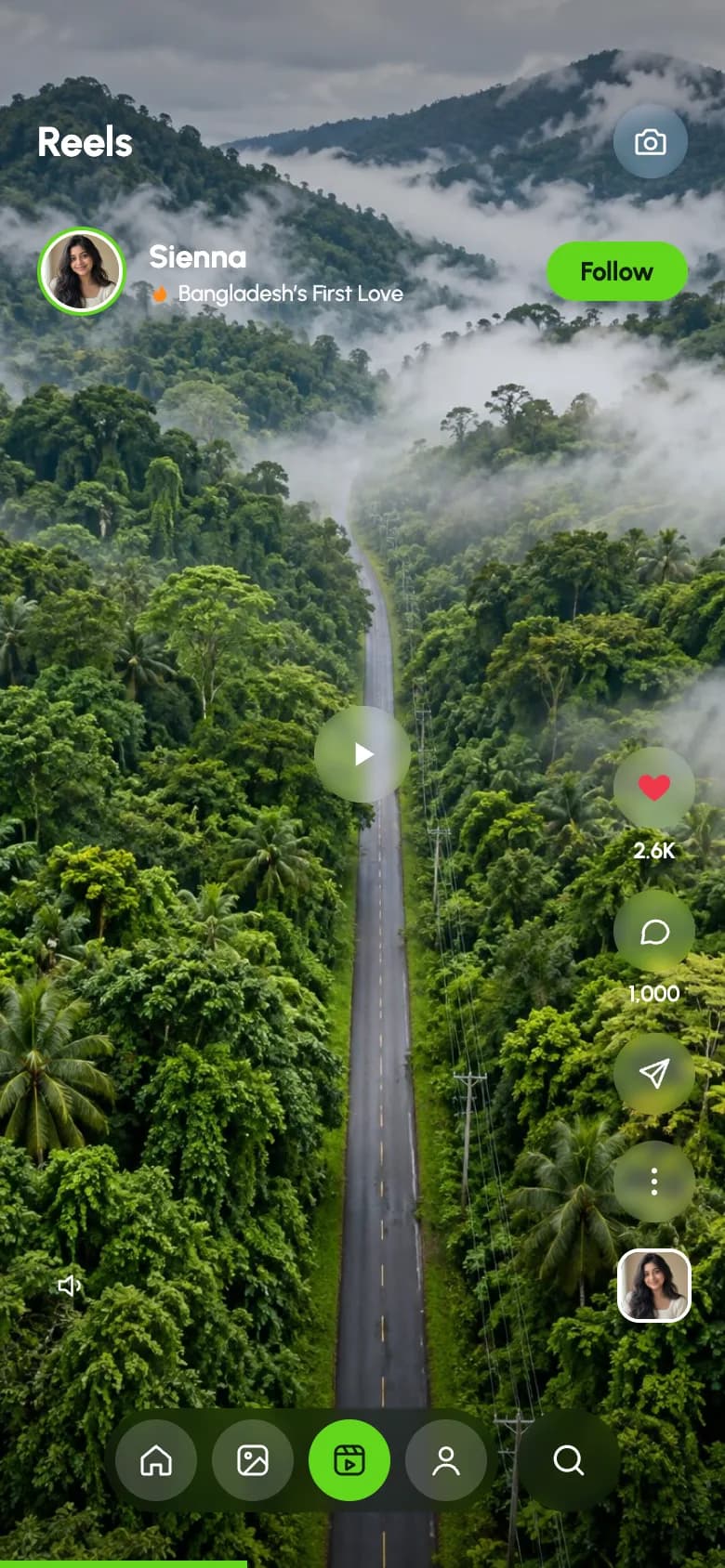
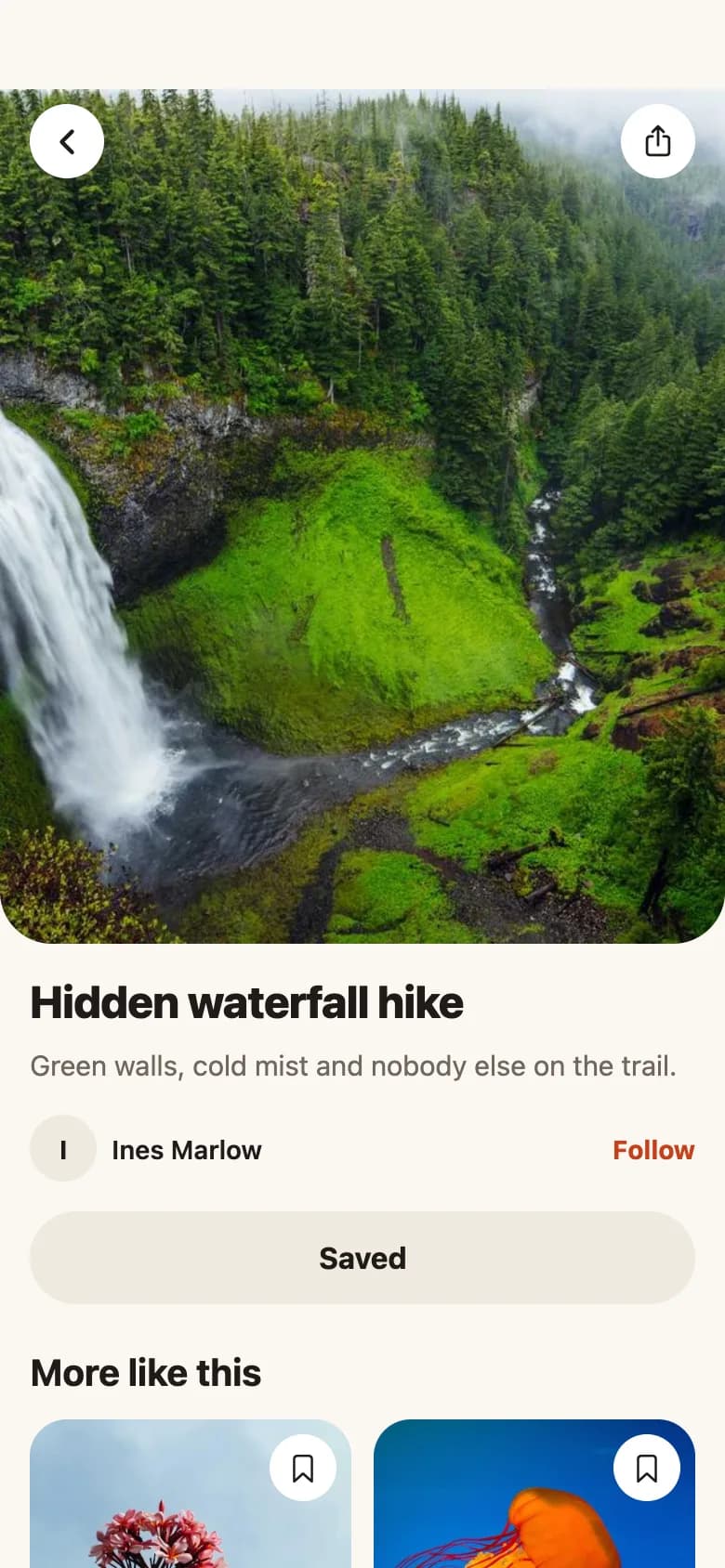

Start from working code
Go deeper
Playing Video and Audio in Expo (expo-video & expo-audio Guide)
expo-av is retired. Play video and audio in Expo with expo-video and expo-audio: useVideoPlayer, VideoView, useAudioPlayer, controls and looping. SDK 54+.
How to Use the Camera in Expo (expo-camera Tutorial)
Build a camera screen in Expo with expo-camera: request permissions, show a live CameraView preview, take photos, flip cameras and scan barcodes. SDK 54+.
FlashList v2 vs FlatList: Which React Native List Should You Use in 2026?
FlashList v2 vs FlatList for React Native: how recycling works, why estimatedItemSize is gone, masonry and chat layouts, migration steps and performance tips.
How to Pick Images and Videos in Expo (expo-image-picker Guide)
Add a photo and video picker to Expo with expo-image-picker: permissions, library or camera, cropping, multiple selection and uploading. SDK 54+ examples.
Reanimated 4 CSS Animations in React Native: Complete Guide
Animate React Native the CSS way with Reanimated 4: keyframes, transitions, timing and iteration, plus when to still use shared values. Copy-paste Expo code.
Frequently asked questions
Can React Native handle a TikTok-style video feed?
Yes. Use FlashList or a paged list with expo-video players, stream HLS from a video service, play only the visible video and preload the next one. This keeps scrolling smooth and memory low.
What do app stores require for social apps?
A way to report content and users, block users, filter objectionable content and act on reports quickly, plus contact details for support. Missing these is a common rejection reason.
What backend should a social media app use?
Supabase or Firebase are good starting points for auth, posts, follows and realtime counts. Put media in object storage behind a CDN, and use a dedicated video service for streaming.
More app development guides
Food delivery
How to Build a Food Delivery App
E-commerce
How to Build an E-commerce Shopping App
Fitness & health
How to Build a Fitness or Health Tracking App
Banking & finance
How to Build a Banking or Personal Finance App
Real estate
How to Build a Real Estate Listing App
Chat & messaging
How to Build a Chat Messaging App
Doctor booking & telehealth
How to Build a Doctor Appointment Booking App
Travel
How to Build a Travel Booking or Trip Planner App
E-learning
How to Build an E-learning App
Start here
The complete mobile app development guide