
The free React Native chat template with four swappable backends
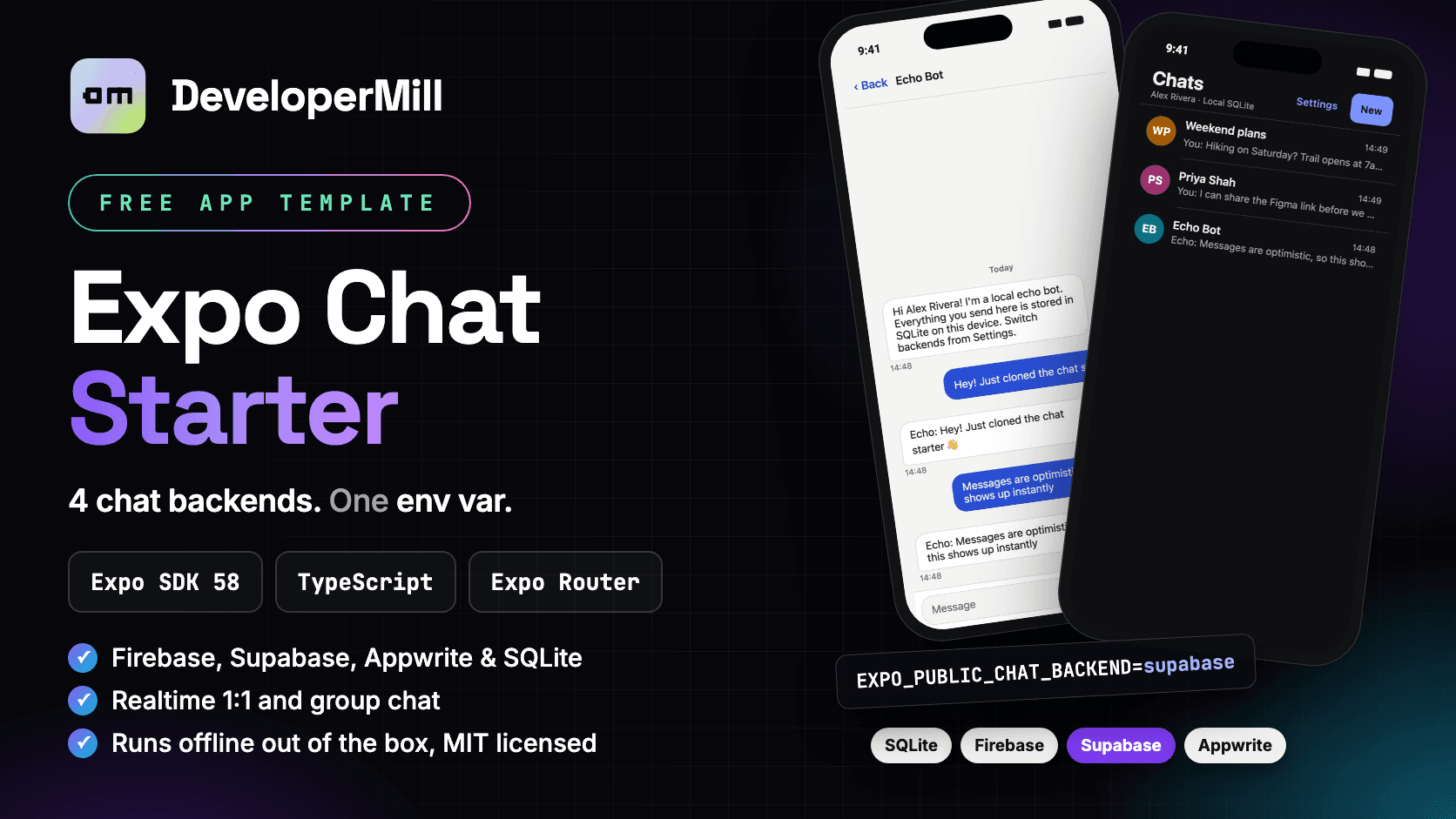
Stop rebuilding chat plumbing for every app. Get sign in, a live chat list, 1:1 and group conversations, realtime messages and optimistic sending for Expo SDK 58, ready to run. Use Firebase, Supabase, Appwrite or local SQLite, and switch between them by changing one env var.
git clone https://github.com/developermill22/expo-chat-starter.git- screens ready to use
- 6
- chat backends
- 4
- commands to run
- 3
- free, MIT licensed
- $0
screens ready to use
chat backends
commands to run
free, MIT licensed
// Overview
A free Expo chat app template
Most chat features take weeks before the first message is sent: sign in, finding people, a live conversation list, a message thread that scrolls back through history, and sends that feel instant. Expo Chat Starter gives you all of that, already wired up, for Expo SDK 58 with Expo Router and strict TypeScript.
What makes it different is the backend layer. Every provider implements one ChatBackend interface. Screens, hooks and the session store only talk to that interface, never to a vendor SDK. So you can build the UI on offline SQLite today, move to Supabase next month, and the screens don't change.
It runs out of the box. The default backend is local SQLite with two demo accounts and an Echo Bot that replies to you, so a fresh clone works with zero accounts, keys or cloud setup.
// Why use it
Expo Chat Starter vs. building chat from scratch
Chat looks small until you build it: realtime listeners, messages that arrive out of order, failed sends, history that skips a page, and security rules for who can read what. Here is what the template already handles for you.
| Task | From scratch | With this template |
|---|---|---|
| Chat list, thread and group screens | Design and code each one | 6 screens included |
| Change chat provider | Rewrite screens and data layer | Change one env var |
| Realtime updates | A listener per screen | One live subscription feeds the cache |
| Sending a message | Bubble waits for the server | Optimistic send with retry |
| Scrollback history | Easy to skip or repeat messages | Tested pagination, newest first |
| Who can read a chat | Often left for later | Rules, RLS and Teams included |
| Try it without a backend | Set up a cloud project first | Offline SQLite by default |
// Features
Features of this React Native chat template
Pluggable backends
Firebase, Supabase, Appwrite and local SQLite ship in the box. Each adapter is loaded with a dynamic import(), so only the selected SDK is initialised.
Realtime messaging
One subscription streams the conversation list into the TanStack Query cache for the whole signed-in area. New messages merge in as they arrive.
Optimistic sends
Bubbles appear instantly and are swapped for the server copy by a clientId generated on the device. Failed sends get a retry tap.
1:1 and group chats
Direct chats are idempotent from either side, so the same two people always land in the same thread. Groups take a name and two or more members.
Paginated history
Infinite scroll on an inverted list, newest first. Pages are de-duplicated and tested so they never skip a message.
Secure by default
Firestore rules enforce membership, sender and length. Supabase uses Row Level Security with SECURITY DEFINER RPCs, and Appwrite gives each conversation its own Team.
Backend switcher
In development builds, Settings lists every provider and which env vars are still missing. Release builds always use the env value.
Accessible by default
A small semantic palette with WCAG AA contrast in light and dark mode. Re-skin the whole app by editing one theme file.
// Screens
React Native chat screens included
| Screen | What it does | File |
|---|---|---|
| Sign in | Email and password. On local SQLite, one tap signs you in as a demo account. | src/app/sign-in.tsx |
| Sign up | Display name, email and password, using the shared AuthForm component. | src/app/sign-up.tsx |
| Chats | Live list of your 1:1 and group chats, most recent first, with the active backend in the header. | src/app/(app)/index.tsx |
| Chat thread | Inverted message list with day separators, paginated history, optimistic sends and retry. Group chats show sender names. | src/app/(app)/chat/[id].tsx |
| New chat or group | Search people by name or email to start a direct chat, or switch to group mode, name it and pick members. | src/app/(app)/new.tsx |
| Settings | Edit your display name, sign out, and switch backends in development builds. | src/app/(app)/settings.tsx |
Rows, bubbles and the composer live in src/components/chat.tsx. Every screen reads the semantic light and dark palette in src/theme.
// Backends
Firebase, Supabase, Appwrite or SQLite chat
Set EXPO_PUBLIC_CHAT_BACKEND in .env, fill in that provider's keys, then restart npx expo start.
| Provider | Value | Multi-device | Expo Go | Setup note |
|---|---|---|---|---|
| Local SQLite | sqlite | No | Yes | Offline, on-device chats with demo users and an Echo Bot. No setup needed. |
| Firebase | firebase | Yes | Yes | Enable Email/Password, create Firestore, and deploy the rules in backend/firebase. |
| Supabase | supabase | Yes | Yes | Run backend/supabase/schema.sql in the SQL Editor. It's safe to re-run. |
| Appwrite | appwrite | Yes | Dev build* | Add your bundle ID as a platform, then run npm run appwrite:setup. |
* react-native-appwrite ships native code, so Appwrite needs a development build: npx expo run:android, npx expo run:ios or eas build --profile development.
// Get started
How to run a React Native chat app in 3 commands
- 1
Download or clone
Grab the ZIP from GitHub or clone the repo, then install packages.
Terminalgit clone https://github.com/developermill22/expo-chat-starter.git cd expo-chat-starter npm install
- 2
Create your .env
The example file defaults to local SQLite, so nothing else is needed to try it.
Terminalcp .env.example .env
- 3
Start the app
Sign in as alex@demo.local and message the Echo Bot, then sign in as priya@demo.local to see it arrive. The password for both is password123.
Terminalnpx expo start
- 4
Switch to a cloud backend (optional)
Change the backend, paste that provider's public keys, and restart Expo.
Terminal# .env EXPO_PUBLIC_CHAT_BACKEND=supabase EXPO_PUBLIC_SUPABASE_URL=https://xyz.supabase.co EXPO_PUBLIC_SUPABASE_KEY=your-publishable-key npx expo start
// Architecture
How the pluggable chat backend works
App code only talks to ChatBackend. src/providers/backend.ts loads the selected adapter and restores the session into a Zustand store. src/hooks/chat.ts streams conversations into TanStack Query, merges realtime messages into an infinite query and handles optimistic sends. Expo Router's Stack.Protected guards redirect between sign-in and the (app) group.
src/backends/
  types.ts        ChatBackend interface + ChatUser, Conversation, Message  ← the contract
  registry.ts     backend id → lazy-loaded adapter
  config.ts       env reading + "missing keys" checks
  shared.ts       helpers shared by every adapter
  sqlite/         expo-sqlite, demo users + Echo Bot
  firebase/       Firebase Auth + Cloud Firestore
  supabase/       Supabase Auth + Postgres (RLS) + Realtime
  appwrite/       Appwrite Auth + TablesDB + Realtime
// Use cases
Who this React Native chat starter is for
Buyer and seller messaging
Let customers ask about a listing before they buy. Direct chats are idempotent, so the same pair always lands in the same thread.
supabase | firebaseClubs, classes and teams
Group chats for a running club, a study group or a sports team, with sender names on every incoming bubble.
firebase | appwriteIn-app support chat
Connect users to your team inside your product, on the backend your web app already uses.
supabaseMove off a vendor safely
Moving from Firebase to Supabase or self-hosted Appwrite? Swap the adapter and keep your screens and navigation untouched.
firebase → supabaseDemo chat on day one
Show a working chat product offline on SQLite today, then point it at a real backend when you have users.
sqlite → supabaseSee clean chat architecture
A small, commented codebase that shows Expo Router guards, Zustand, TanStack Query realtime merging and the adapter pattern working together.
any provider// Customize
Customize the template for your app
Add your own backend
- 1
Create the adapter
Add src/backends/<name>/index.ts that exports create<Name>Backend(config): Promise<ChatBackend>.
- 2
Name it
Add its id to BackendId in types.ts and its env vars to config.ts.
- 3
Register it
Add an entry to BACKENDS and BACKEND_ORDER in src/backends/registry.ts.
- 4
Prove it
Run the scenarios in tests/sqlite-backend.test.ts against it: idempotent direct chats, no access for non-members, no skipped pages.
Use the session anywhere
import { useCurrentUser } from '@/store/session';
import { useConversations, useSendMessage } from '@/hooks/chat';

const me = useCurrentUser();                 // ChatUser
const { data: chats } = useConversations();  // live, most recent first
const { send, retry } = useSendMessage(id);  // send('Hi!') is optimistic
Before you ship
- Rename com.example.chatstarter in app.json, and register the new ID as your Appwrite platform.
- Only put client-safe keys in EXPO_PUBLIC_* vars. Never the Supabase service_role key or the Appwrite server key.
- Profiles, emails included, are visible to every signed-in user so people can find each other. Remove email if that doesn't suit your app.
- On Appwrite, move message creation into the Function if you need the server to guarantee senderId.
// FAQ
Expo chat template FAQ
Is the Expo Chat Starter really free?
Yes. The full source is on GitHub under the MIT license. Use it in personal and commercial apps.
Does it work in Expo Go?
The SQLite, Firebase and Supabase backends work in Expo Go. Appwrite ships native code, so it needs a development build with npx expo run:android, npx expo run:ios or eas build --profile development.
Does it include push notifications, attachments or typing indicators?
Not yet. Typing indicators, read receipts, attachments and push notifications are the natural next additions to the ChatBackend interface.
Can I use my own backend?
Yes. Write one adapter that implements ChatBackend, register it in registry.ts, and use the SQLite test suite as the behaviour spec. The screens don't change.
How are chats kept private?
Firebase rules check membership and sender identity, Supabase uses Row Level Security with SECURITY DEFINER RPCs so clients can't join other people's chats, and Appwrite rows are readable only by each conversation's Team.
Does it run on the web?
Yes, with the SQLite backend. metro.config.js adds the WebAssembly asset and headers expo-sqlite needs. Your production host must send Cross-Origin-Opener-Policy: same-origin and Cross-Origin-Embedder-Policy: credentialless.
Tech Stack
Skip the chat plumbing. Start on your features.
Free and open source. If it saves you time, a GitHub star helps other developers find it.
Expo Chat Starter
A free React Native chat app template for Expo SDK 58: realtime 1:1 and group chat, auth, optimistic sends and dark mode, with Firebase, Supabase, Appwrite or offline SQLite behind one env var.
Free License
Personal and commercial use
- Use in 1 personal project
- Lifetime access to updates
- Email support
- Remove attribution
- Commercial use included
- Expo SDK
- 58
- React Native
- 0.88
- React
- 19.3
- Language
- TypeScript (strict)
- Navigation
- Expo Router
- State
- Zustand 5
- Data
- TanStack Query 5
- Tests
- node:sqlite
- Platforms
- iOS · Android · Web
- Expo Go
- Supported