
How to Build a Real Estate Listing App
Short answer
A real estate app is search and trust: a fast map and list of listings, precise filters, rich photo galleries, saved searches that alert you to new matches, and an easy way to contact the agent or book a viewing. Build it with React Native and Expo, react-native-maps with marker clustering, a listings backend with geo queries (Postgres with PostGIS works well), and push notifications for new matches.
Property search is a high-intent, repeat activity. People open the app many times a week while they're looking, so saved searches and instant alerts are the features that keep them.
The biggest technical decisions are where the listing data comes from and how the map performs with thousands of pins.
Last updated November 19, 2026
Features for the first version
Map and list search
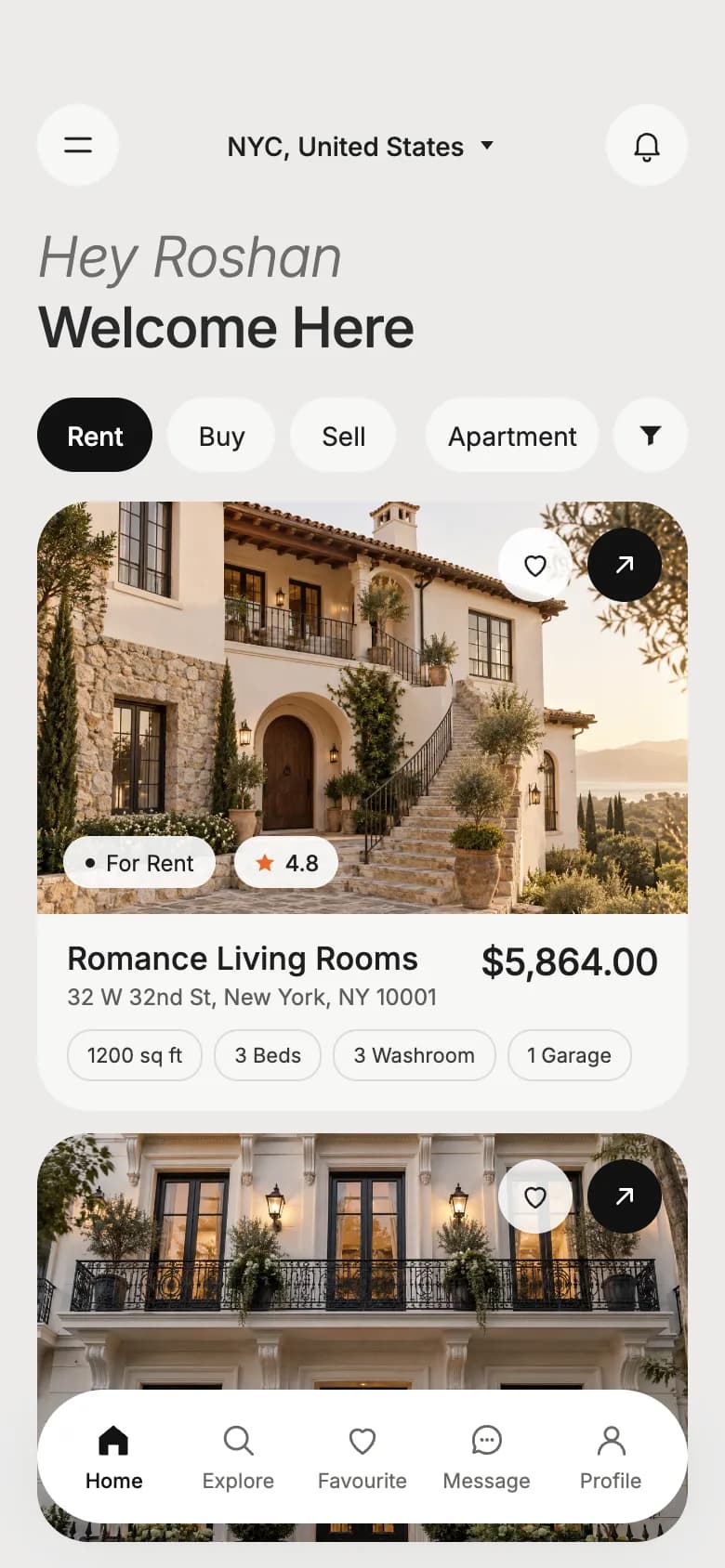
Toggle between map and list, search as the map moves, clustered pins.
Filters
Price, bedrooms, property type, buy or rent, area drawn or selected.
Listing detail
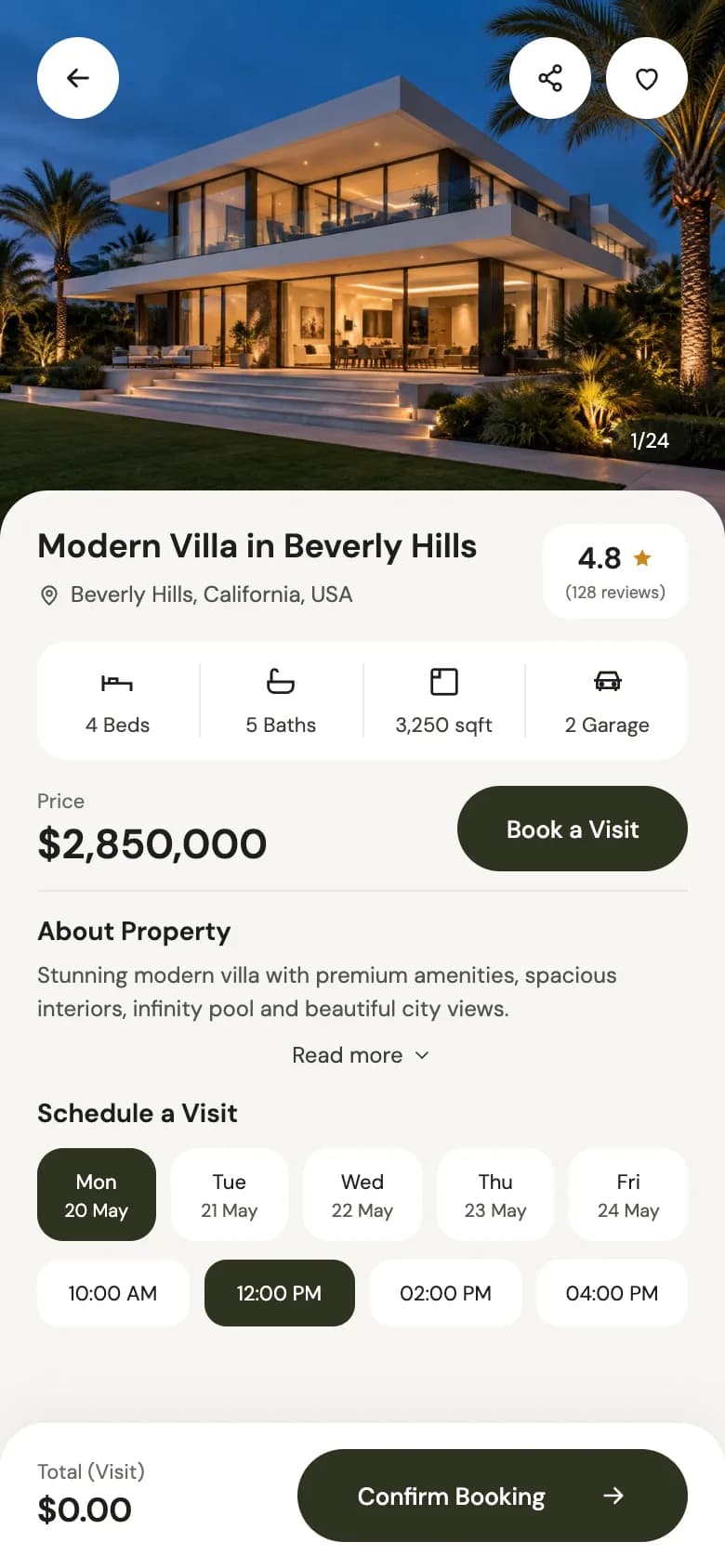
Photo gallery, floor plan, key facts, location and nearby amenities.
Favourites and saved searches
Save listings and searches; push when a new listing matches.
Contact and viewings
Message or call the agent, pick a viewing slot.
Agent or owner listing tools
For marketplaces: create a listing with photos from the camera roll.
Leave for version two
- Mortgage and affordability calculators
- Virtual tours and video walk-throughs
- Price history and area insights
- In-app rental applications and document upload
- In-app chat between renters and owners
Screens you'll need
- Map search
- List results with filters
- Listing detail and gallery
- Saved homes and searches
- Book a viewing
- Messages
- Create or edit a listing
Recommended tech stack
| Layer | Choice | Why |
|---|---|---|
| App | Expo + React Native + TypeScript | Native maps and galleries on both platforms. |
| Maps | react-native-maps + clustering | Native Apple and Google maps; clustering keeps thousands of pins smooth. |
| Backend | Postgres with PostGIS (e.g. Supabase) | Bounding-box and radius queries for 'search this area'. |
| Images | expo-image + an image CDN | Resized, cached photos; listings are image-heavy. |
| Uploads | expo-image-picker + direct-to-storage upload | Agents add photos straight from their phone. |
| Alerts | expo-notifications + a server job | Match new listings against saved searches and push. |
How to build it, step by step
- 01
Secure the listing data
Your own marketplace, an MLS or IDX feed, or partner agencies. The data source decides much of the product.
- 02
Build geo search on the server
Index listings by location and query by map bounds with filters, paginated.
- 03
Build map and list views
Cluster pins, debounce map movement, and keep the list and map in sync.
- 04
Build the listing page
Fast gallery, clear facts and one obvious contact button.
- 05
Add saved searches and alerts
A background job compares new listings against saved searches and sends a push.
- 06
Launch in one area
Dense listings in one city beat thin coverage everywhere.
Common problems and how to avoid them
Map performance
Rendering every pin kills performance. Cluster, limit results per viewport and use simple marker views.
Stale listings
Nothing loses trust faster than a home that's already gone. Sync status often and show when a listing was updated.
Data licensing
MLS and portal feeds come with display rules and attribution requirements.
Fraudulent rentals
Rental marketplaces attract scams. Verify owners and warn users never to pay before a viewing.
Store rules, privacy and regulation
- MLS and IDX data comes with display and attribution rules; follow the feed's licence.
- Fair housing rules in many countries restrict how listings can be targeted or filtered.
- Location and contact data need a privacy policy and accurate store privacy labels.
This is general guidance, not legal advice. Check the current store guidelines and local law for your market.
What drives cost and timeline
Cost depends far more on scope than on the category. These are the decisions that move a real estate app from a small build to a large one:
- Data source: your own listings versus MLS or partner feeds
- Marketplace features for agents and owners
- Rental applications, payments and document handling
- Number of cities and languages
For sourced figures, see what it costs to hire a React Native developer versus an AI app builder and the yearly cost of maintaining an app. Starting from a template or a free design cuts the screens and setup work, not the business logic.
Free real estate app UI designs with Expo code
Start from working code
Go deeper
How to Get the User's Location in Expo (expo-location Guide)
Add geolocation to Expo with expo-location: request permissions, get the current position, watch live updates and reverse-geocode to an address. SDK 54+.
How to Pick Images and Videos in Expo (expo-image-picker Guide)
Add a photo and video picker to Expo with expo-image-picker: permissions, library or camera, cropping, multiple selection and uploading. SDK 54+ examples.
expo-image: Faster, Smoother Images in React Native
Replace React Native's Image with expo-image for caching, blurhash placeholders and smooth transitions. Covers contentFit, cachePolicy and migration. SDK 54+.
How to Add Push Notifications to an Expo App (expo-notifications)
Local and push notifications in Expo: set up expo-notifications, request permissions, schedule reminders, get a push token and handle taps. SDK 54+ examples.
Frequently asked questions
How do real estate apps get listing data?
From one of three places: listings created by agents and owners in your own marketplace, an MLS or IDX feed (common in the US), or partnerships with agencies and portals. Each comes with its own licence and display rules.
How do I show thousands of properties on a map in React Native?
Query only listings inside the visible map bounds, cluster nearby pins, debounce map movement, and keep marker views simple. react-native-maps with a clustering library handles this well.
What is the most important feature in a property app?
Saved searches with instant alerts. People who are actively looking want to know about a new listing before anyone else, and that alert is what brings them back.
More app development guides
Food delivery
How to Build a Food Delivery App
E-commerce
How to Build an E-commerce Shopping App
Fitness & health
How to Build a Fitness or Health Tracking App
Banking & finance
How to Build a Banking or Personal Finance App
Social media
How to Build a Social Media App
Chat & messaging
How to Build a Chat Messaging App
Doctor booking & telehealth
How to Build a Doctor Appointment Booking App
Travel
How to Build a Travel Booking or Trip Planner App
E-learning
How to Build an E-learning App
Start here
The complete mobile app development guide