
How to Build an E-learning App
Short answer
An e-learning app delivers lessons, checks understanding and shows progress. Build it with React Native and Expo, stream video lessons with expo-video over HLS, allow offline downloads with expo-file-system, track progress locally and sync it, and use quizzes and streaks to keep learners coming back. Digital courses sold inside the app must use in-app purchase on iOS and Android.
Learning apps compete on completion. People sign up full of intention and drop off by the third lesson, so short lessons, visible progress and gentle reminders matter more than a large catalogue.
This guide covers content delivery, quizzes, offline learning and how to charge for it.
Last updated November 19, 2026
Features for the first version
Course catalogue
Courses with modules and lessons, clear length and level.
Lesson player
Video or text lessons with resume where you left off.
Quizzes
Multiple choice and short answers with instant feedback.
Progress
Per-course progress, streaks and a weekly view.
Offline downloads
Download lessons for commutes and flights.
Paywall
Free first lessons, then a subscription or course purchase.
Leave for version two
- Certificates
- Discussion and cohorts
- Live classes
- AI tutor
- Teacher and admin dashboards
Screens you'll need
- Home with continue learning
- Catalogue
- Course outline
- Lesson player
- Quiz
- Progress
- Downloads
- Paywall
Recommended tech stack
| Layer | Choice | Why |
|---|---|---|
| App | Expo + React Native + TypeScript | One app with native video playback. |
| Video | expo-video + HLS hosting (e.g. Mux, Cloudflare Stream) | Adaptive streaming and resume. |
| Downloads | expo-file-system | Store lessons for offline use. |
| Progress | expo-sqlite + server sync | Instant progress updates that survive offline sessions. |
| Payments | RevenueCat | Subscriptions and course purchases through the stores. |
| Content | Headless CMS or admin panel | Authors publish lessons without app releases. |
How to build it, step by step
- 01
Define the learning format
Video, text, interactive exercises or a mix. Short lessons work best on phones.
- 02
Build the content model
Courses, modules, lessons and quizzes, managed from a CMS.
- 03
Build the lesson player
Resume position, playback speed and captions.
- 04
Add quizzes and progress
Record attempts locally, sync later, and show progress everywhere.
- 05
Add offline and paywall
Downloads for paying users; test purchases in the store sandboxes.
- 06
Launch with one great course
Prove completion rates before building a catalogue.
Common problems and how to avoid them
Completion
Shorter lessons, streaks and reminders lift completion more than new content.
Video costs
Streaming and storage costs grow with learners; use adaptive bitrates.
Content protection
Downloaded files can be copied. Use signed URLs, and DRM if your content needs it.
Store payment rules
Courses consumed in the app are digital goods and need in-app purchase.
Store rules, privacy and regulation
- Digital content unlocked in the app must use in-app purchase (App Store guideline 3.1.1, Google Play payments policy).
- Apps for children must meet the stores' kids rules and laws such as COPPA.
- Captions and accessible players help learners and are required by accessibility laws in many education settings.
This is general guidance, not legal advice. Check the current store guidelines and local law for your market.
What drives cost and timeline
Cost depends far more on scope than on the category. These are the decisions that move a e-learning app from a small build to a large one:
- Video volume and hosting
- Live classes
- Teacher and institution features
- Offline and content protection
For sourced figures, see what it costs to hire a React Native developer versus an AI app builder and the yearly cost of maintaining an app. Starting from a template or a free design cuts the screens and setup work, not the business logic.
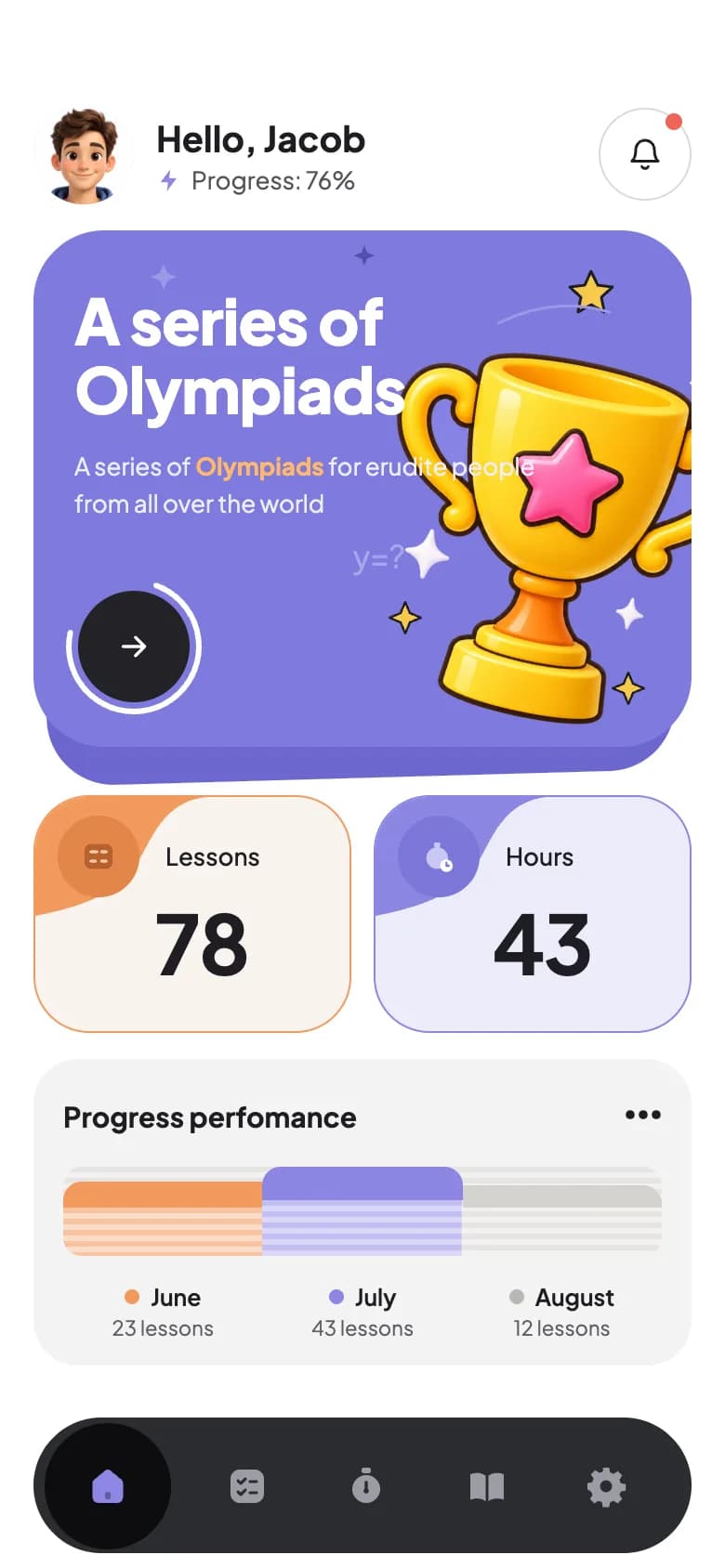
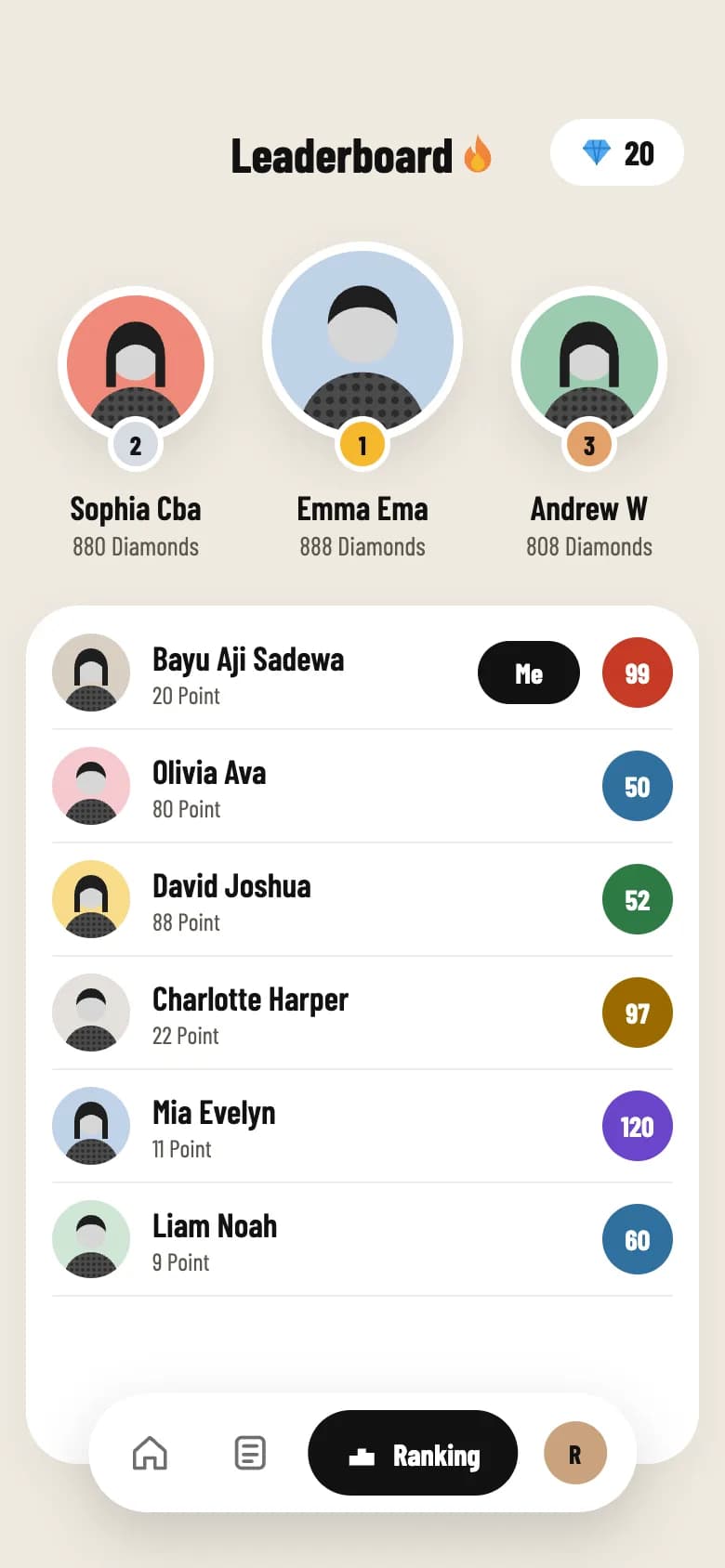
Free e-learning app UI designs with Expo code
Start from working code
Go deeper
Playing Video and Audio in Expo (expo-video & expo-audio Guide)
expo-av is retired. Play video and audio in Expo with expo-video and expo-audio: useVideoPlayer, VideoView, useAudioPlayer, controls and looping. SDK 54+.
Reading and Writing Files in Expo (expo-file-system Guide)
Save, read and delete files in Expo with the new expo-file-system File and Paths API. Cache JSON, persist user data and list directories. SDK 54+ examples.
In-App Purchases and Subscriptions in Expo with RevenueCat (2026 Guide)
Add in-app purchases and subscriptions to Expo with RevenueCat: set up react-native-purchases, fetch offerings, check entitlements and show native paywalls.
Local Database in Expo with expo-sqlite (Offline Data Guide)
Add an on-device SQL database to Expo with expo-sqlite: create tables, run parameterized queries, use transactions and build an offline data layer. SDK 54+.
Frequently asked questions
Do e-learning apps need Apple in-app purchase?
Yes, if users buy courses or subscriptions that unlock content inside the app. Apple and Google require their billing for digital goods. RevenueCat makes this manageable in React Native.
How do I let students download lessons offline?
Download lesson files with expo-file-system into the app's document directory, track which lessons are saved, and play the local file when offline. Use signed URLs so only paying users can download.
How do I build a quiz app in React Native?
Store questions and answers in your backend or CMS, render one question at a time with instant feedback, save attempts locally, and sync scores. The free Quiz Game design on DeveloperMill includes the onboarding, game and leaderboard screens in Expo.
More app development guides
Food delivery
How to Build a Food Delivery App
E-commerce
How to Build an E-commerce Shopping App
Fitness & health
How to Build a Fitness or Health Tracking App
Banking & finance
How to Build a Banking or Personal Finance App
Real estate
How to Build a Real Estate Listing App
Social media
How to Build a Social Media App
Chat & messaging
How to Build a Chat Messaging App
Doctor booking & telehealth
How to Build a Doctor Appointment Booking App
Travel
How to Build a Travel Booking or Trip Planner App
Start here
The complete mobile app development guide