
The free React Native auth template with four swappable backends
Stop rebuilding login screens for every app. Get sign in, sign up, password reset and protected routes for Expo SDK 58, ready to run. Use Firebase, Supabase, Appwrite or local SQLite, and switch between them by changing one env var.
git clone https://github.com/developermill22/expo-auth-starter.git- screens ready to use
- 7
- auth backends
- 4
- commands to run
- 3
- free, MIT licensed
- $0
screens ready to use
auth backends
commands to run
free, MIT licensed
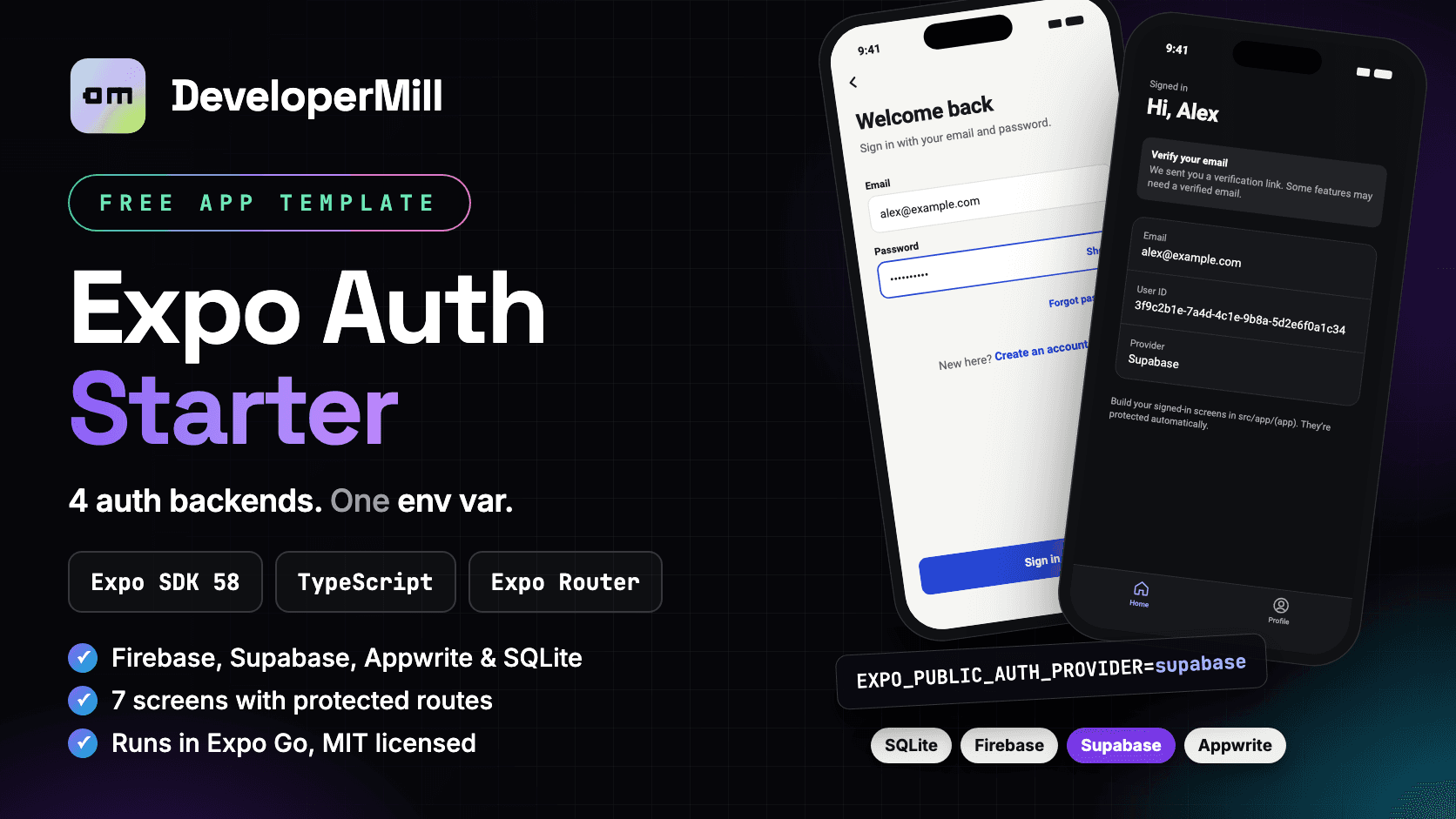
// Overview
A free Expo login and sign-up template
Most mobile apps need sign in, sign up, password reset and a protected area before any real feature gets built. Expo Auth Starter gives you all of that, already wired up, for Expo SDK 58 with Expo Router and strict TypeScript.
What makes it different is the plug-in layer. Every backend implements one small AuthAdapter interface. Screens, hooks and the session store only talk to that interface, never to a vendor SDK. So you can start a prototype on offline SQLite today, move to Supabase next month, and the UI code does not change.
It runs in Expo Go out of the box. The default provider is local SQLite, so a fresh clone works with zero accounts, keys or cloud setup.
// Why use it
Expo Auth Starter vs. building auth from scratch
Auth looks small until you build it: form validation, error messages for every SDK, session restore, redirects, dark mode and accessibility. Here is what the template already handles for you.
| Task | From scratch | With this template |
|---|---|---|
| Login, sign-up and reset screens | Design and code each one | 7 screens included |
| Change auth provider | Rewrite screens and state | Change one env var |
| Protected routes | Hand-written redirects | Expo Router guards |
| Session restore on launch | Easy to get a login-screen flash | Splash held until ready |
| Error messages | Different for every SDK | One friendly set |
| Dark mode and accessibility | Often left for later | Built in, WCAG AA |
| Try it without a backend | Set up a cloud project first | Offline SQLite by default |
// Features
Features of this Expo authentication template
Pluggable backends
Firebase, Supabase, Appwrite and local SQLite ship in the box. Only the selected SDK is loaded at runtime.
Protected routes
Uses Expo Router's Stack.Protected guards. Signed-out users can't reach the app area, and signed-in users skip the auth screens.
Session restore
The splash screen stays up until the session is known, so users never see a flash of the sign-in screen on launch.
Live session sync
Token expiry or a remote sign-out on Firebase and Supabase updates the app state right away.
One error language
Every SDK's errors map to one AuthError type with friendly copy, like "An account with this email already exists."
Capability-aware UI
Each adapter declares what it can do. Flows the backend can't support, such as reset emails, are hidden automatically.
Helpful setup screen
Missing env vars show a readable screen that lists exactly which keys to set, instead of an SDK crash.
Accessible by default
Light and dark themes with WCAG AA contrast, 44px+ touch targets, labelled inputs, keyboard "next" chaining and password show/hide.
// Screens
React Native login and sign-up screens included
| Screen | What it does | File |
|---|---|---|
| Welcome | Landing screen for signed-out users. Shows which auth provider is active. | src/app/(auth)/welcome.tsx |
| Sign in | Email and password with show/hide. "Forgot password?" appears only if the backend supports it. | src/app/(auth)/sign-in.tsx |
| Sign up | Name, email, password and confirm, validated with zod as you type. | src/app/(auth)/sign-up.tsx |
| Forgot password | Pre-fills the email from sign in. The confirmation never reveals whether an account exists. | src/app/(auth)/forgot-password.tsx |
| Confirm your email | Shown after sign-up when the backend requires email confirmation, like Supabase. | src/app/(auth)/check-email.tsx |
| Home (protected) | Shows the session user and a verify-email notice when needed. | src/app/(app)/index.tsx |
| Profile | Edit your display name and sign out. Signing out clears all cached data. | src/app/(app)/profile.tsx |
Forms use react-hook-form with zod schemas. New passwords need at least 8 characters with one letter and one number.
// Backends
Firebase, Supabase, Appwrite or SQLite auth
Set EXPO_PUBLIC_AUTH_PROVIDER in .env, fill in that provider's keys, then restart with npx expo start -c.
| Provider | Value | Reset email | Verification | Setup note |
|---|---|---|---|---|
| Local SQLite | sqlite | No | No | Offline, on-device accounts. No setup needed. |
| Firebase | firebase | Yes | Yes | Enable Email/Password in Console → Authentication. |
| Supabase | supabase | Yes | Yes | Add authstarter://** to Auth → Redirect URLs. |
| Appwrite | appwrite | Yes* | Yes | Register your Android/iOS platform with the bundle ID. |
* Appwrite reset emails need EXPO_PUBLIC_APPWRITE_RECOVERY_URL. Leave it empty and the "Forgot password?" link is hidden.
// Get started
How to set up Expo authentication in 3 commands
- 1
Download or clone
Grab the ZIP from GitHub or clone the repo, then install packages.
Terminalgit clone https://github.com/developermill22/expo-auth-starter.git cd expo-auth-starter npm install
- 2
Create your .env
The example file defaults to local SQLite, so nothing else is needed to try it.
Terminalcp .env.example .env
- 3
Start the app
Open it in Expo Go on your phone, or in an iOS simulator, Android emulator or the browser.
Terminalnpx expo start
- 4
Switch to a cloud backend (optional)
Change the provider, paste that provider's public keys, and restart with a clean cache.
Terminal# .env EXPO_PUBLIC_AUTH_PROVIDER=supabase EXPO_PUBLIC_SUPABASE_URL=https://xyz.supabase.co EXPO_PUBLIC_SUPABASE_ANON_KEY=your-anon-key npx expo start -c
// Architecture
How the pluggable auth layer works
App code only talks to AuthAdapter. Actions run as TanStack Query mutations, update a Zustand store on success, and the root layout's Stack.Protected guards redirect between (auth) and (app) when the session changes.
src/auth/
  types.ts        AuthAdapter interface + AuthUser shape  ← the contract
  errors.ts       AuthError + friendly messages
  config.ts       env reading + "missing keys" validation
  index.ts        registry: provider name → lazy-loaded adapter
  adapters/
    sqlite.ts     expo-sqlite + expo-crypto + expo-secure-store
    firebase.ts   firebase JS SDK (AsyncStorage persistence)
    supabase.ts   @supabase/supabase-js (AppState auto-refresh)
    appwrite.ts   react-native-appwrite
// Use cases
Who this React Native auth starter is for
Ship the login on day one
Skip a week of auth plumbing. Start on local SQLite with no accounts, then point at a real backend when you have users.
sqlite → supabaseOne codebase for every client
Client A uses Firebase, client B already pays for Supabase. Reuse the same screens and switch the provider per project.
firebase | supabase | appwriteMove off a vendor safely
Moving from Firebase to Supabase or self-hosted Appwrite? Swap the adapter and keep your UI and navigation untouched.
firebase → supabaseAccounts without a server
Field tools, kiosks, journals and local-only apps can keep salted, hashed accounts on the device with expo-sqlite and SecureStore.
sqlitePlug in a custom REST backend
Write one adapter file for your API, map its errors to AuthError, register it, and every screen works with it.
rest (your adapter)See clean auth architecture
A small, commented codebase that shows Expo Router guards, Zustand, TanStack Query and zod working together.
any provider// Customize
Customize the template for your app
Add your own backend
- 1
Create the adapter
Add src/auth/adapters/rest.ts that exports createRestAdapter(): AuthAdapter.
- 2
Name it
Add 'rest' to AUTH_PROVIDERS in types.ts.
- 3
Register it
Add one line to the registry in src/auth/index.ts.
- 4
Select it
Set EXPO_PUBLIC_AUTH_PROVIDER=rest. No screen changes needed.
Use the session anywhere
import { useCurrentUser } from '@/store/auth-store';
import { useSignOut } from '@/hooks/use-auth';

const user = useCurrentUser();   // AuthUser | null
const signOut = useSignOut();    // signOut.mutate()
Before you ship
- Rename com.example.authstarter and the authstarter URL scheme in app.json.
- Only put public client keys in EXPO_PUBLIC_* vars. They are bundled into the app.
- Swap the placeholder logo mark on the welcome screen for your own.
- Re-skin the whole app by editing the semantic palette in src/theme/index.ts.
// FAQ
Expo auth template FAQ
Is the Expo Auth Starter really free?
Yes. The full source is on GitHub under the MIT license. Use it in personal and commercial apps.
Does it work in Expo Go?
Yes. All four backends use JavaScript SDKs or modules bundled with Expo Go. If you later add a native auth SDK, such as Google or Apple sign-in, you'll need a development build with npx expo run:android or eas build --profile development.
Does it include Google, Apple or social login?
Not yet. This template covers email and password. Social sign-in can be added inside an adapter without touching the screens.
How are SQLite passwords stored?
As a salted, iterated SHA-256 hash with a random salt per user. That's fine for device-only data. If you ever sync those accounts to a server, hash on the server with argon2 or bcrypt.
Can I get an access token for my own API?
Yes. Read the backend's token inside the adapter, such as supabase.auth.getSession() or auth.currentUser.getIdToken(), and expose it with a getAccessToken() method.
Does it run on the web?
The project includes react-native-web, so npm run web starts it in the browser. It is built and tuned for iOS and Android first.
Tech Stack
Skip the auth boilerplate. Start on your features.
Free and open source. If it saves you time, a GitHub star helps other developers find it.
Expo Auth Starter
A free React Native auth template for Expo SDK 58: sign in, sign up, password reset and protected routes, with Firebase, Supabase, Appwrite or local SQLite behind one env var.
Free License
Personal and commercial use
- Use in 1 personal project
- Lifetime access to updates
- Email support
- Remove attribution
- Commercial use included
- Expo SDK
- 58
- React Native
- 0.88
- React
- 19.3
- Language
- TypeScript 6 (strict)
- Navigation
- Expo Router
- State
- Zustand 5
- Data
- TanStack Query 5
- Forms
- RHF + zod 4
- Platforms
- iOS · Android · Web
- Expo Go
- Supported