
Gradient Background
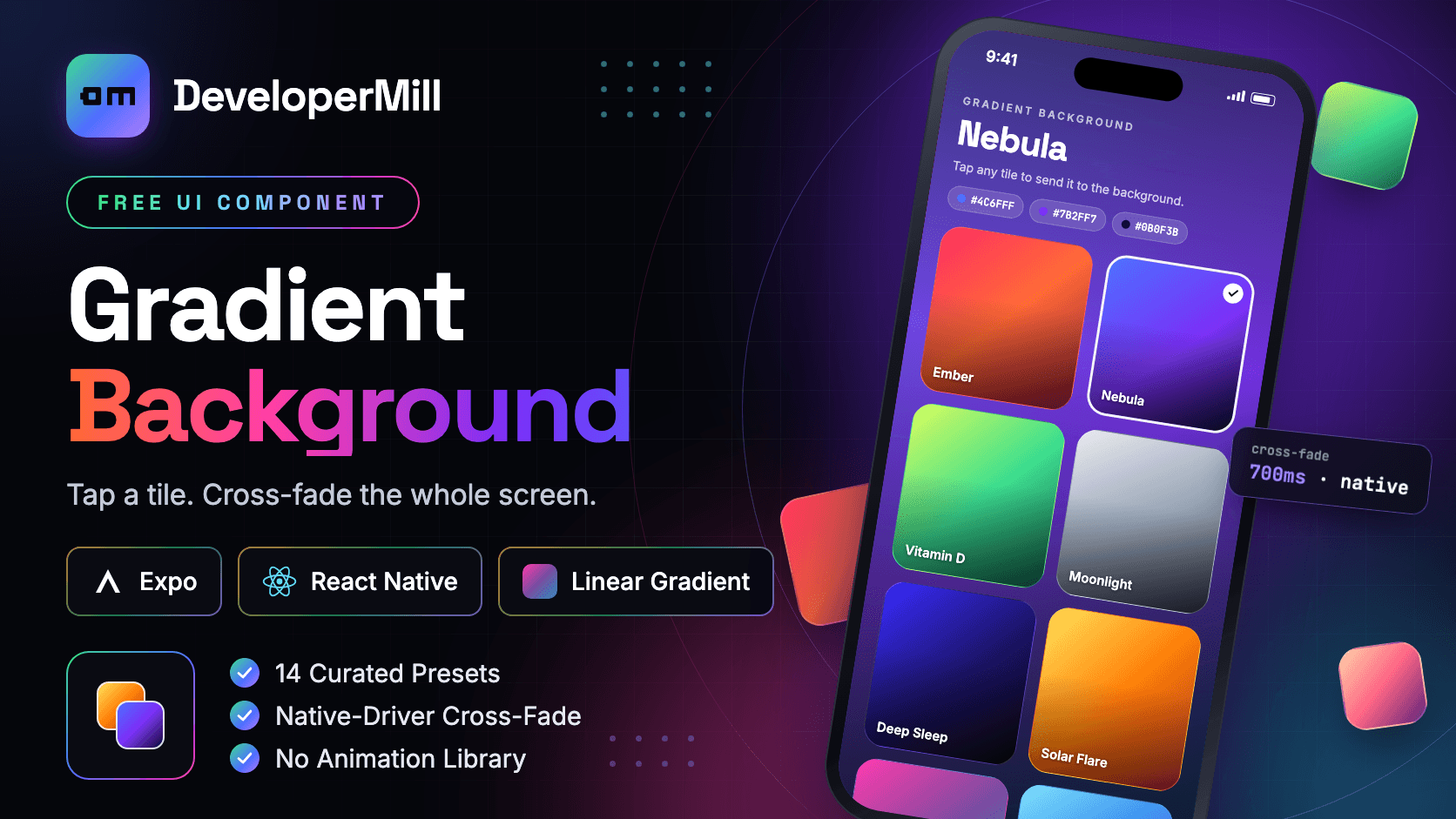
A React Native gradient background picker for Expo — tap a gradient tile and it becomes the full-screen app background, cross-fading from the previous one in 700ms on the native thread.
Preview
Usage
$npx expo install expo-linear-gradient react-native-safe-area-context expo-haptics
Built with React Native core only — no third-party UI library required.
Examples
6GradientBackground owns the full-screen fill and the cross-fade; GradientGrid renders the two-column tile list. The selected preset lives in your state, so the grid and the background stay in sync through a single useState.
const [gradient, setGradient] = useState(DEFAULT_GRADIENT);<GradientBackground gradient={gradient}> <GradientGrid gradients={GRADIENTS} selectedId={gradient.id} onSelect={setGradient} /></GradientBackground>Overview
Gradient Background is a gradient background picker UI for Expo and React Native: a two-column grid of gradient tiles where tapping one sends it to the full-screen app background. Fourteen curated three-stop presets ship in the box — Ember, Nebula, Vitamin D, Moonlight, Deep Sleep, Solar Flare, Ultraviolet, Wind, Coral Reef, Matcha, Magma, Balance, Signal and Midnight — each with its own angle and stop positions. What makes it different from a plain expo-linear-gradient wrapper is how the transition works. Animating a gradient's colours would mean interpolating every stop on the JavaScript thread, so GradientBackground does not do that: it stacks two LinearGradient layers and animates only the top layer's opacity. When the gradient prop changes, the current preset moves to the bottom layer, the new one goes on top at opacity 0, and it fades to 1 over 700ms with an ease-out cubic curve. The outgoing gradient stays painted underneath, so there is never a flash between presets, and because opacity is a native-driver property the cross-fade never waits on JavaScript and stays smooth while the list scrolls. There is no Reanimated and no animation library — only Animated with useNativeDriver. Each tile is a Pressable with a spring press-scale to 0.95, a light impact haptic from expo-haptics, and a white ring with a check on the active tile. A fixed dark top-and-bottom scrim sits between the gradient and your UI, so white text stays readable on a pale preset like Moonlight as well as on Midnight. Presets are plain data objects — id, name, colors, locations, start and end — passed straight through to LinearGradient, so adding one is a single array entry and the grid, the background and the header colour chips all pick it up. Selection state lives in the parent, which means the background can be driven by anything: a settings screen, the time of day, or a saved user preference. Five files, around 460 lines — drop it into an Expo theme picker, wallpaper selector, onboarding screen, meditation or sleep app, or any screen that needs a living background. Built for Expo SDK 57 and React Native 0.86, and includes the patch-package fix for the Expo SDK 57 x Xcode 26.2 iOS build error.
What's included
- 14 curated three-stop gradient presets, each with its own angle and stops
- Tap a tile and it becomes the full-screen app background
- 700ms ease-out cubic cross-fade — no flash between presets
- Fades layers, not colours: only opacity animates, on the native driver
- No Reanimated and no animation library — plain Animated with useNativeDriver
- Spring press-scale to 0.95 and a light impact haptic on every tile
- White ring and check mark on the active tile
- Fixed top-and-bottom scrim keeps white text readable on any preset
- Data-driven presets — append one object and the grid, background and chips pick it up
- Selection state lives in the parent — drive it from settings, time of day or a saved preference
- Two-column FlatList grid with a header that scrolls with the list
- Safe-area aware layout via react-native-safe-area-context
- 5 files, ~460 lines, no context and no global state
- Includes the patch-package fix for the Expo SDK 57 x Xcode 26.2 build error
- Expo SDK 57, React Native 0.86
- MIT licensed — free for personal and commercial use
Tech Stack
Get this component
Free
One-time payment · Lifetime access
Free License
Personal and commercial use
- Use in 1 personal project
- Lifetime access to updates
- Email support
- Remove attribution
- Commercial use included