
Animated Bottom Navigation
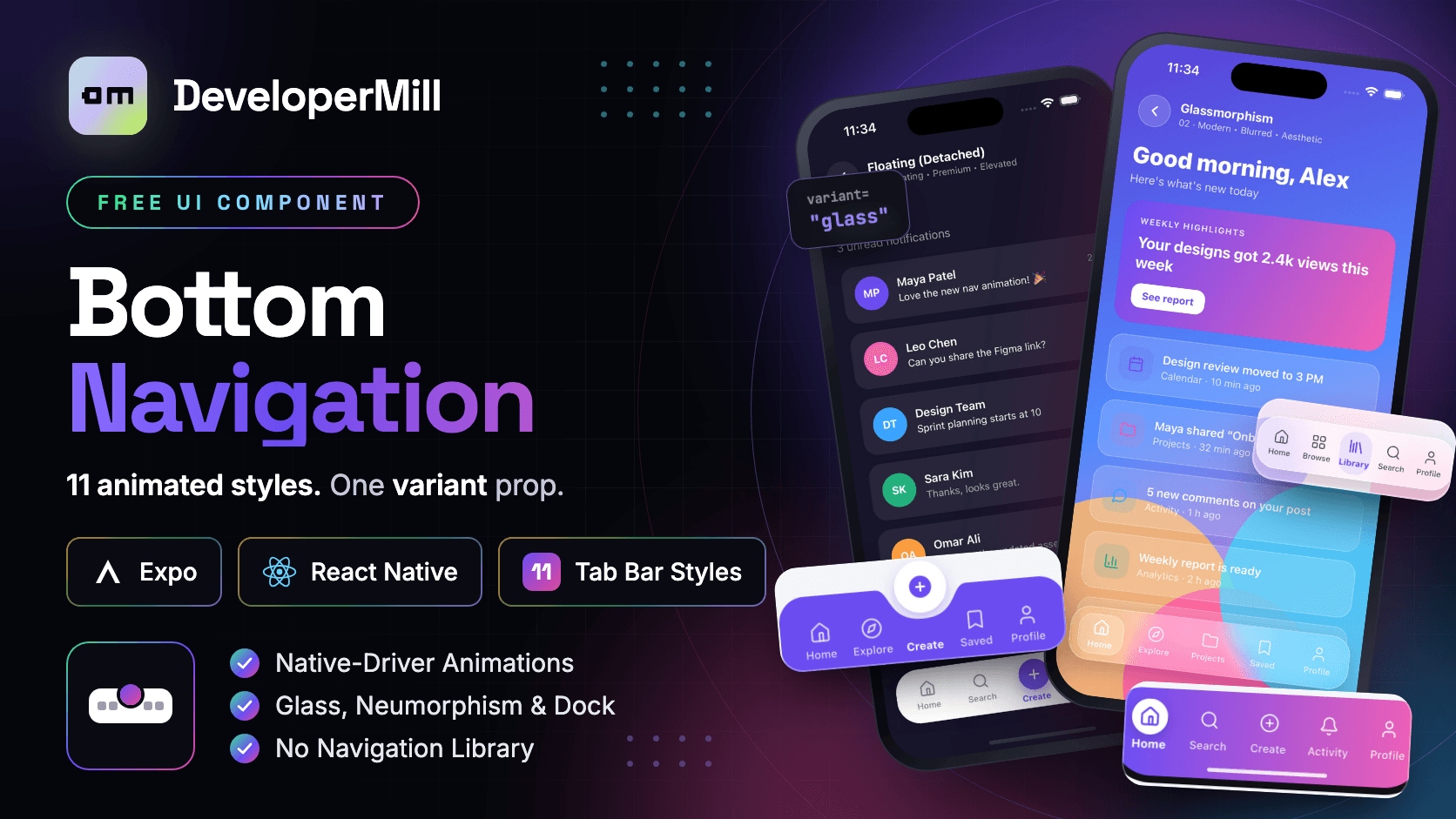
An animated bottom navigation bar for Expo React Native with 11 styles — minimal, glassmorphism, floating, neumorphism, pill, center FAB, gradient, outline, indicator, curved and iOS dock — switched with one variant prop.
Preview
Usage
$npx expo install react-native-svg expo-blur react-native-safe-area-context
Built with React Native core only — no third-party UI library required.
Examples
6Every style takes the same props, so changing the look of your tab bar is a one-word change. Pick from minimal, glass, floating, neumorphism, pill, centerFab, gradient, outline, indicator, curved and dock.
// 'minimal' | 'glass' | 'floating' | 'neumorphism' | 'pill' | 'centerFab'// 'gradient' | 'outline' | 'indicator' | 'curved' | 'dock'<BottomNavigation variant="curved"" items={tabs} activeIndex={index} onChange={setIndex} bottomInset={insets.bottom}/>Overview
Animated Bottom Navigation is a React Native tab bar component for Expo with eleven ready-made looks behind a single variant prop: Minimal Clean, Glassmorphism, Floating (detached), Neumorphism, Pill Highlight, Center FAB, Gradient Bold, Outline Icons, Tab with Indicator, Curved Background and an iOS-inspired Dock. Every bar takes the same props — items, activeIndex, onChange, onAction and bottomInset — so you can switch from a flat minimal bar to a frosted glass dock without touching anything else in your screen. Every animation runs on the native driver, and that took some care, because the native driver only animates transform and opacity, not colour. So each tab is drawn twice, an inactive copy and an active copy, and the two crossfade: the colour change, the filled icon and the bold label all animate with no JavaScript work per frame. All eleven bars share one hook with two kinds of animated value. A single spring called position drives everything that slides — the dot, the pill, the underline, the neumorphic well and the top-edge indicator — built with Animated.add and Animated.multiply so it stays native-driver safe. A separate fade per tab drives everything that lights up, which is why jumping from the first tab to the last does not flash the tabs in between as the spring passes over them. The Curved Background bar shows the same idea at its most useful: changing SVG path data every frame cannot run on the native driver, so the curved shape is drawn twice as wide as the bar with the dip at its centre and slid with translateX, so the dip follows the active tab at 60fps. Neumorphism needs no images, because React Native's boxShadow now supports inset and multiple shadows. Glassmorphism and the Dock use expo-blur with real blur on Android 12 and later through a BlurTargetView ref, falling back to translucent on older devices. The Center FAB sits in a cubic-curve notch cut into the bar, and its overhang is padding inside the component rather than a negative offset, so the top half of the button still receives touches on Android. Icons are SVG paths adapted from Lucide, each with an outline form and a filled form with cutouts, so there is no icon font to load. Tap targets are at least 48 by 48, the bar respects safe-area insets — docked bars extend under the home indicator and floating bars lift above it — and the demo app opens each style as a full app screen inside React Native's own Modal, so no navigation library is required. Built for Expo SDK 57 and React Native 0.86 in plain JavaScript, with react-native-svg, expo-blur and react-native-safe-area-context as its only dependencies.
What's included
- 11 tab bar styles behind one variant prop
- Minimal, Glassmorphism, Floating, Neumorphism, Pill, Center FAB, Gradient, Outline, Indicator, Curved and iOS Dock
- Same props for every style — switch looks without touching your screen
- Every animation on the native driver, including colour changes
- Active and inactive tab layers crossfade, so colour, filled icon and bold label animate with no JS per frame
- One spring drives every sliding dot, pill, underline, well and indicator
- Per-tab fades stop in-between tabs flashing on long jumps
- Curved bar dip follows the active tab at 60fps via translateX — no path animation
- Neumorphism with inset boxShadow — no images
- Real frosted glass on iOS and Android 12+ with expo-blur and BlurTargetView
- Center FAB in a notched bar that stays fully tappable on Android
- Action items for a create button that fires onAction instead of switching tabs
- SVG icons adapted from Lucide with outline and filled forms — no icon font
- Safe-area aware: docked bars extend under the home indicator, floating bars lift above it
- 48x48 minimum tap targets and press-spring micro-interactions
- No navigation library required — works with React Navigation, Expo Router or plain state
- Expo SDK 57, React Native 0.86, JavaScript
- MIT licensed — free for personal and commercial use
Tech Stack
Get this component
Free
One-time payment · Lifetime access
Free License
Personal and commercial use
- Use in 1 personal project
- Lifetime access to updates
- Email support
- Remove attribution
- Commercial use included